 Trading 212
A trading journal for Trading 212
Trading 212 shows what you hold. TradeJournal shows how you trade: connect your Invest or ISA account with an API key and every trade lands in a journal you can review, tag and replay.
No card needed to start. Then CHF 5 a month or CHF 50 a year, cancel any time.
Connected in three minutes
- In the Trading 212 app open Settings, then API (Beta), and generate an API key with account data and history permissions.
- Copy the API key and the secret (the secret is shown only once).
- In TradeJournal press Connect, paste both, choose Live or Practice and press Sync.
Works with Invest and ISA accounts; a Practice account has its own keys.
Trading 212 and the journal, in detail
Which permissions to tick
Account data, and everything under History: orders, dividends, transactions and exports. Set IP access to Unrestricted: the sync runs from TradeJournal’s server, not from your phone or computer.
Keep the secret
Trading 212 shows the API secret only once, when the key is generated. If you lose it, generate a new key and use Replace key in the journal.
What happens when you press Sync
The journal asks Trading 212 for a one-year export, waits about a minute (Trading 212 allows one status check per minute) and imports it like a file: duplicates are skipped, open positions are refreshed and deposits are added. Run it as often as you like.
Once a day, if you want
A daily sync can be switched on for the account. It is off by default, because Trading 212 takes a few minutes to build its export and most people would rather press Sync when they want it.
No API key? Import the CSV
In the app open History, the export icon, choose the period and tick Orders, Dividends and Transactions. Import the CSV in TradeJournal as a Trading 212 export.
Everything a trading journal should do
Brokers sync by themselves
Interactive Brokers and Trading 212 sync automatically, eToro with its API keys; Charles Schwab, Robinhood, Webull, TradeStation, DEGIRO and more on PRO; Swissquote, Saxo and any broker from a file.
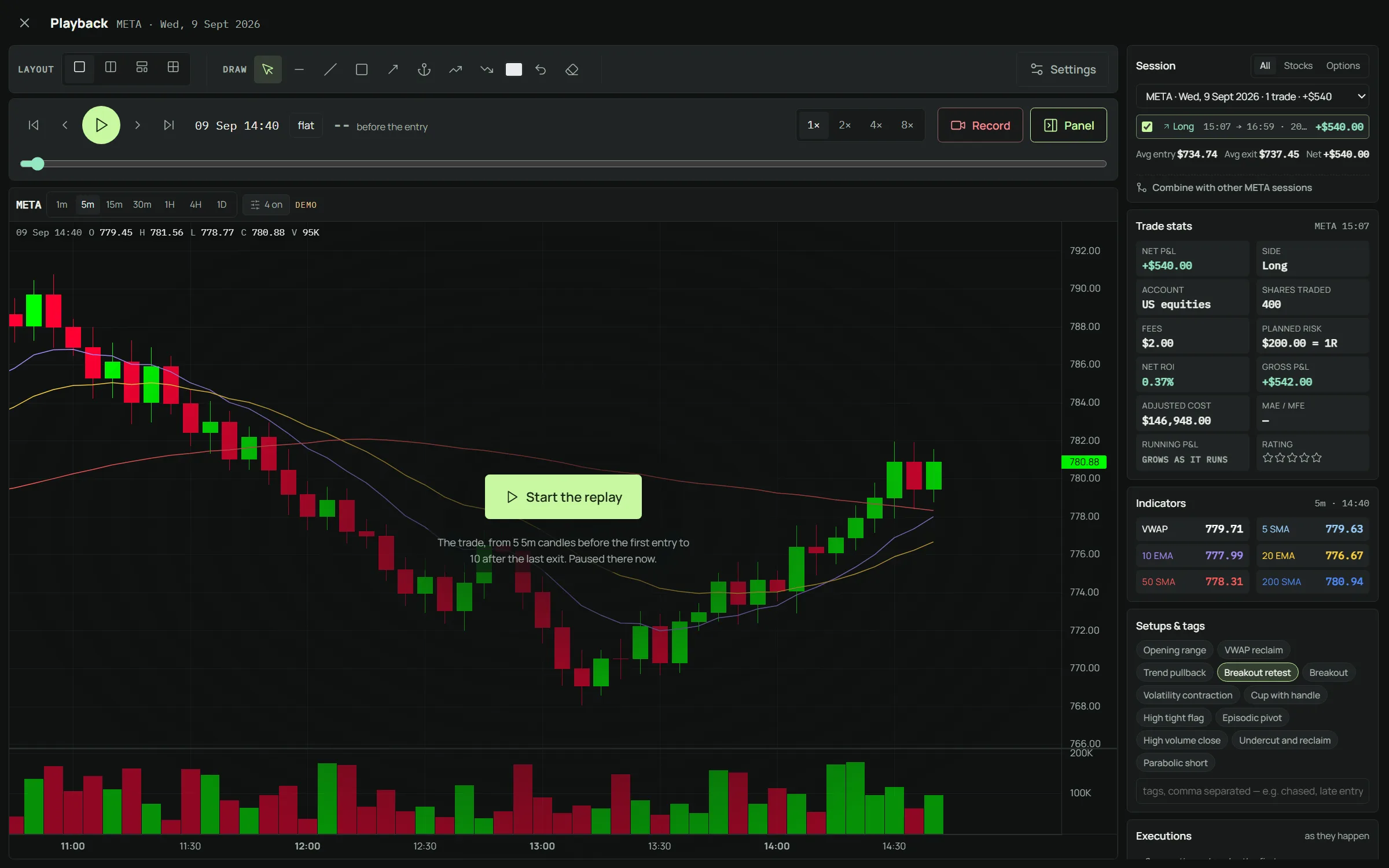
Replay every trade
Watch the chart rebuild candle by candle around your entry and exit, with VWAP, moving averages and MACD.
Setups and entry tactics
Tag what the trade was and how you entered it. The playbook shows which ones actually pay you.
Positions with adds and trims
Buys and sells of one position are grouped into one line with its timeline, valued by average cost like the IBKR app.
Size and risk before you click
The position size calculator and your open risk across the account, in one place.
Market screener
US stocks by theme, 52-week highs and lows, new highs of the day and MACD crosses, refreshed during the session.
One plan, everything included
Launch price until 31 October 2026. 7 days free, no card needed to start.
Questions
Can TradeJournal trade with my key?
Give the key read permissions only (account data and history). The journal only reads.
What is imported?
Stock trades, open positions, deposits and withdrawals. Tiny leftover fractions from rounding are cleaned up.
Does it work with CFD accounts?
No: Trading 212's API exists for Invest and ISA accounts only.
Does a Practice account work?
Yes. A Practice account has its own keys: generate them in Practice mode and choose Practice when you connect.
My key stopped working, why?
Trading 212 now asks for the API secret as well as the key. Generate a new key in the app and paste both with Replace key.
A trading journal for Trading 212
No card needed to start. Then CHF 5 a month or CHF 50 a year, cancel any time.